Server solutions
Terminal solutions
SysElegance Application Server
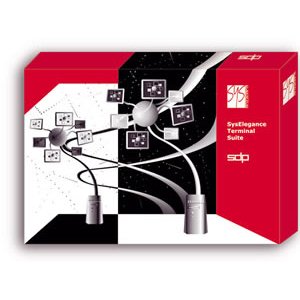
SysElegance is the developer of the SysElegance Terminal Suite terminal software package, which has been working successfully on the Ukrainian market since 2003.
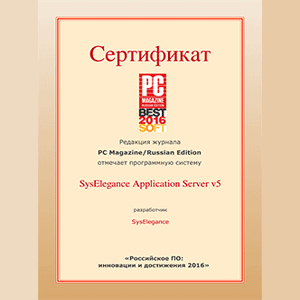
The most significant products in the suite are SysElegance Application Server - server software for providing terminal access to Windows operating systems - and the SysElegance Thinstation thin-client operating system.
The company currently offers the most complete range of hardware and software solutions and has a staff of qualified specialists for building and deploying next-generation systems at businesses of any size.
SysElegance software products have a modular architecture, which offers great flexibility.
SysElegance Application Server terminal server
The application server is built on SysElegance terminal software, which allows several users' applications to run simultaneously on the server, transmits graphical information (screen frames) to the client workstation and sends user actions (keyboard, mouse) to the server. What sets the SysElegance Application Server apart:
- works on all current editions of Microsoft Windows across different generations and bitness
- full implementation of the MS RDP protocol's features
- the availability of application publishing tools
- the availability of processor resource allocation tools
- the availability of additional security services
- a well-considered pricing policy
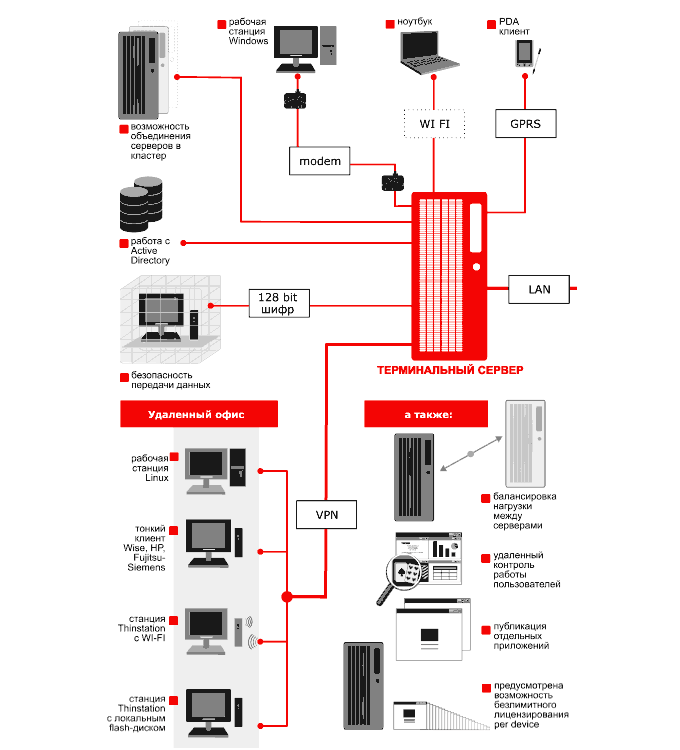
SysElegance terminal solutions
Syselegance-based solutions make it possible to save considerably when deploying terminal servers, while being fully certified and not infringing copyright.
The advantages of Syselegance solutions
1
Application publishing tools
Application publishing lets individual applications be launched from the server in windowed mode. The user gets the impression that the application is running on their own computer. In application publishing mode the server uses resources extremely economically, which makes it possible to serve more clients on the same hardware than with traditional full-desktop access.
2
Operating system optimiser
A program for automatically tuning a terminal server. The main goals of optimisation are improving the server's quantitative and qualitative indicators, such as system response time and the amount of RAM used per user, reducing network load and, as a result, increasing the number of users who can work simultaneously.
3
Processor resource allocation tool
A system service that manages the allocation of processor resources; strongly recommended for all terminal server users and indispensable if more than ten users work on the server at the same time.
4
Alternative desktop manager
the alternative desktop manager makes it easy to create a user environment containing only the applications needed.
5
Working within a domain managed by Active Directory
The SysElegance Application Server integrates fully into the Microsoft domain infrastructure, allowing the terminal network to be managed centrally using familiar methods and tools the administrator already knows. Most SysElegance Application Server settings can be applied through the corresponding domain and group policies, which allows servers on large corporate networks to be managed centrally.
6
The ability to monitor users' work remotely
A system administrator can connect to a user's session to provide remote help or to monitor the user's actions. Session connection can be enabled for the whole server or for each user individually.
7
The ability to balance load between servers
When the resources of a single server are no longer enough, several servers performing the same tasks can be combined into a terminal farm. Each new client is connected, transparently to the user, to the least loaded server. Server load is determined by several criteria - the number of active sessions, free memory and CPU load. Particular attention is also given to the ability to reconnect to a disconnected session previously created by the user on one of the farm's servers.
8
Support for Microsoft tools and protocols
the server uses the standard RDP protocol (remote desktop protocol). This means that all clients that work with Microsoft Terminal Server can be used with the SysElegance Application Server without modification. All RDP features are supported, such as 32-bit colour and redirection of the clipboard, drives, ports, sound and smart cards. The remote management interfaces (WMI) of the SysElegance Terminal Server are fully compatible with those of the Microsoft services, which makes it possible to use the standard tools included in the "Windows Server Administration Tools Pack" distributed free of charge by Microsoft
Syselegance